
Usage and activity
Owners and admins have two pages for keeping track of the organization.
Usage Stats
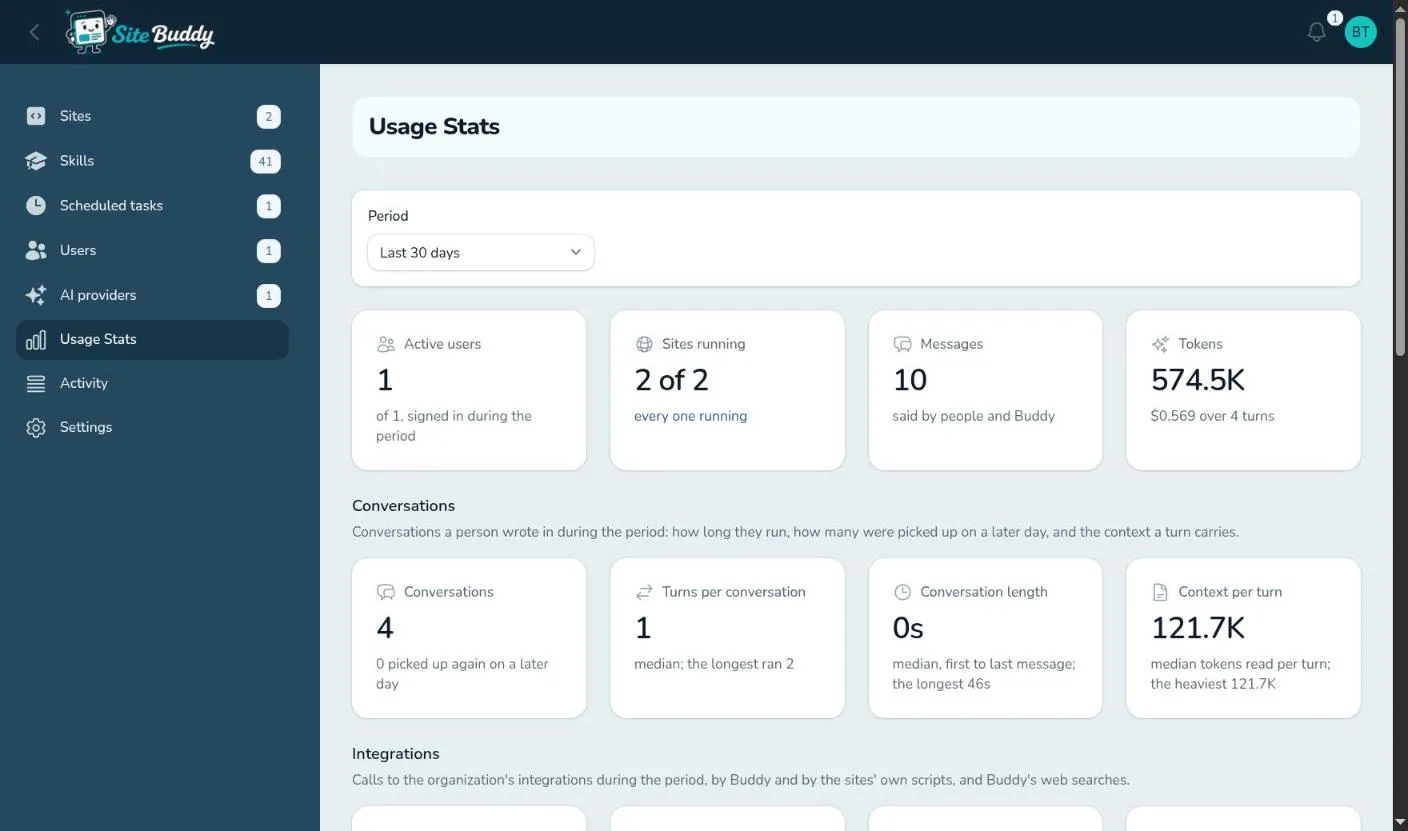
Section titled “Usage Stats”Usage Stats shows how much Buddy is being used, for a period you pick (or custom dates):
- Headline figures: active users, sites running, messages sent, and tokens used (the measure AI providers bill by).
- Conversations: how many, how many turns each, how long they run, and how much context each turn carries.
- Integrations: how many calls Buddy made to your connected services, how many failed, how many web searches, and the busiest integration.
- Daily usage as a chart, then a breakdown by site and by person.
Activity
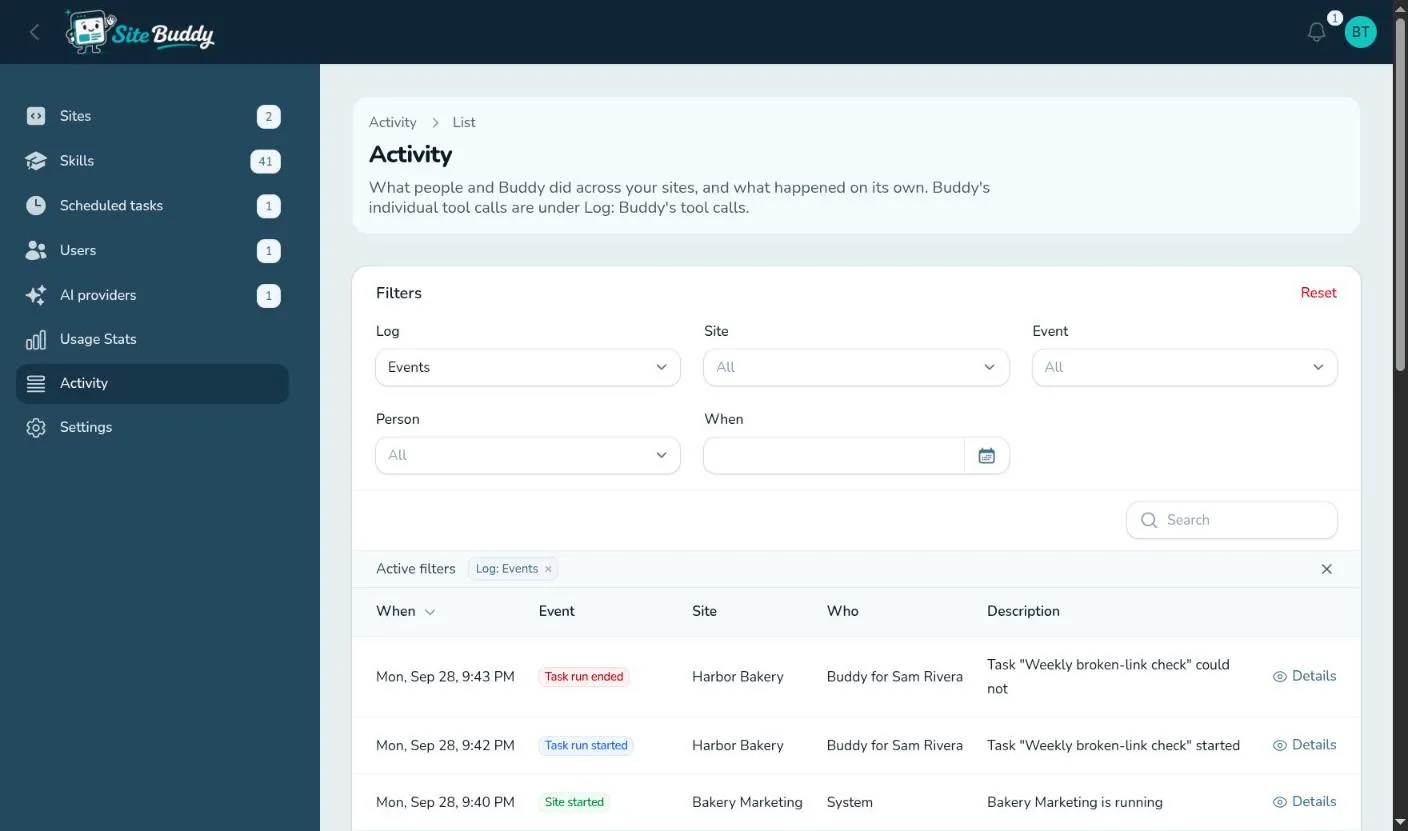
Section titled “Activity”Activity is the organization’s log: who did what, on which site, and when. It records sign-ins, people invited and removed, sites started and stopped, access and settings changes (with before and after), integrations connected, scheduled task runs, visitors unlocking a site through the lock page, and more. Filter by site, person, kind of event or date, and open Details on any entry to see exactly what changed.
Switch the Log filter to Buddy’s tool calls to see every step Buddy took across your sites.