

Managing your sites
The Sites page
Section titled “The Sites page”Sites in the sidebar lists every site you can open, as cards. Each card shows the site’s name and type, its status, and the last conversation on it (with a pulsing dot while Buddy is working). Sort by name, date created or type.
Across the top, three rings show how your organization’s environment is doing: disk space, memory, and how many sites are running.
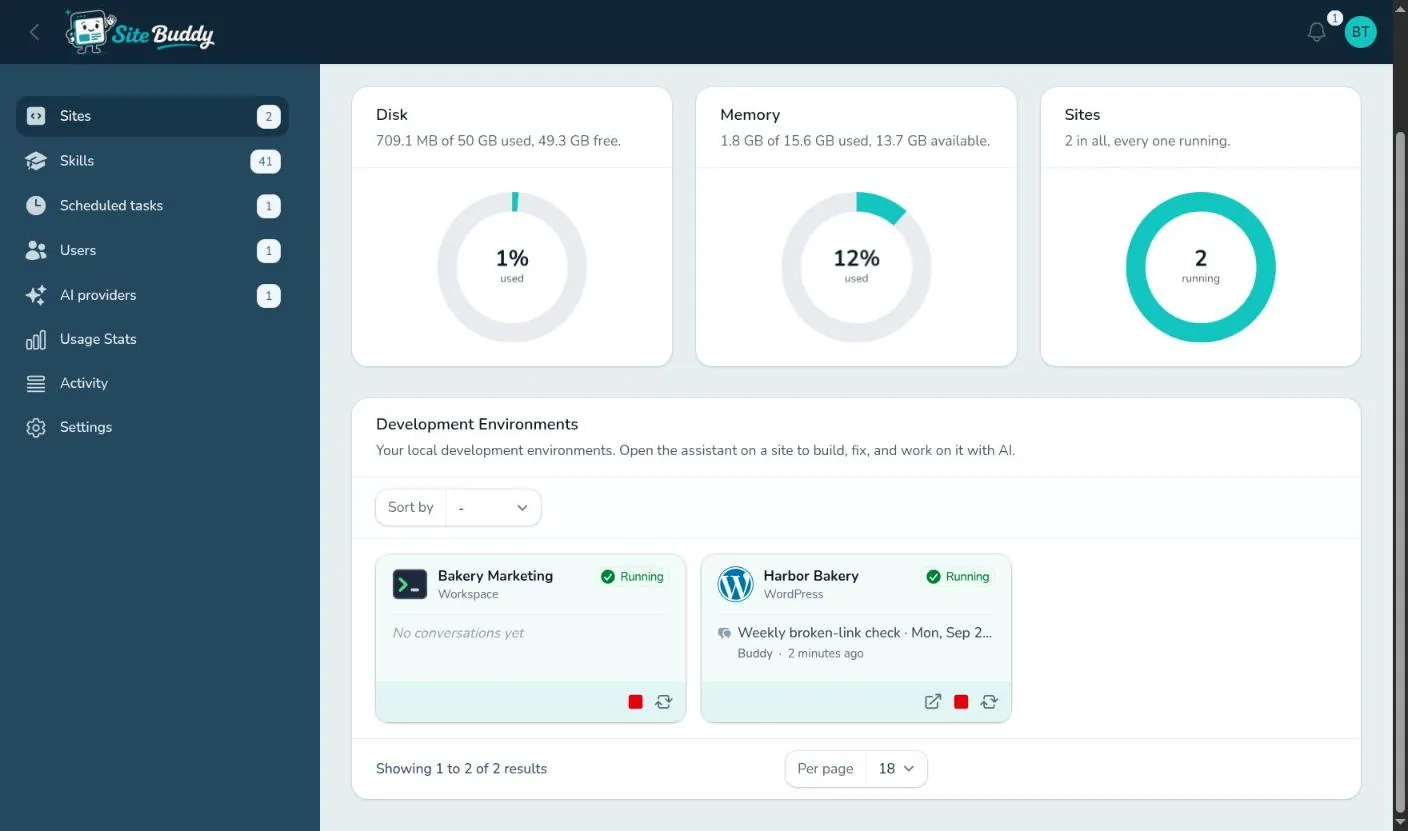
The buttons on a card change with its status:
- View Site opens its preview address.
- Start (when stopped), Stop and Restart (when running).
- Delete, only when the site is stopped. You are asked to confirm.
Click a card to open the site’s workspace.
Statuses
Section titled “Statuses”| Status | Meaning |
|---|---|
| Running | The site is up; its preview works and Buddy can use everything. |
| Stopped | The site is off. Buddy can still talk, and starts the site itself if it needs to. |
| Starting, Stopping, Restarting | On its way. Usually a few seconds to a minute. |
| Provisioning, Verifying | A new site being built, or its hosting credential being checked. |
| Deleting | Being removed. |
| Failed | Something went wrong starting or building it. Try Start again, or ask Buddy what happened. |
Starting and stopping
Section titled “Starting and stopping”A stopped site uses no memory, so stop sites you are not working on. Start and stop from the site’s card, or from the buttons at the top of its workspace (Start environment, Restart environment, Stop environment).
You don’t have to start a site before talking to Buddy: if it needs the site running, it starts it.
Site settings
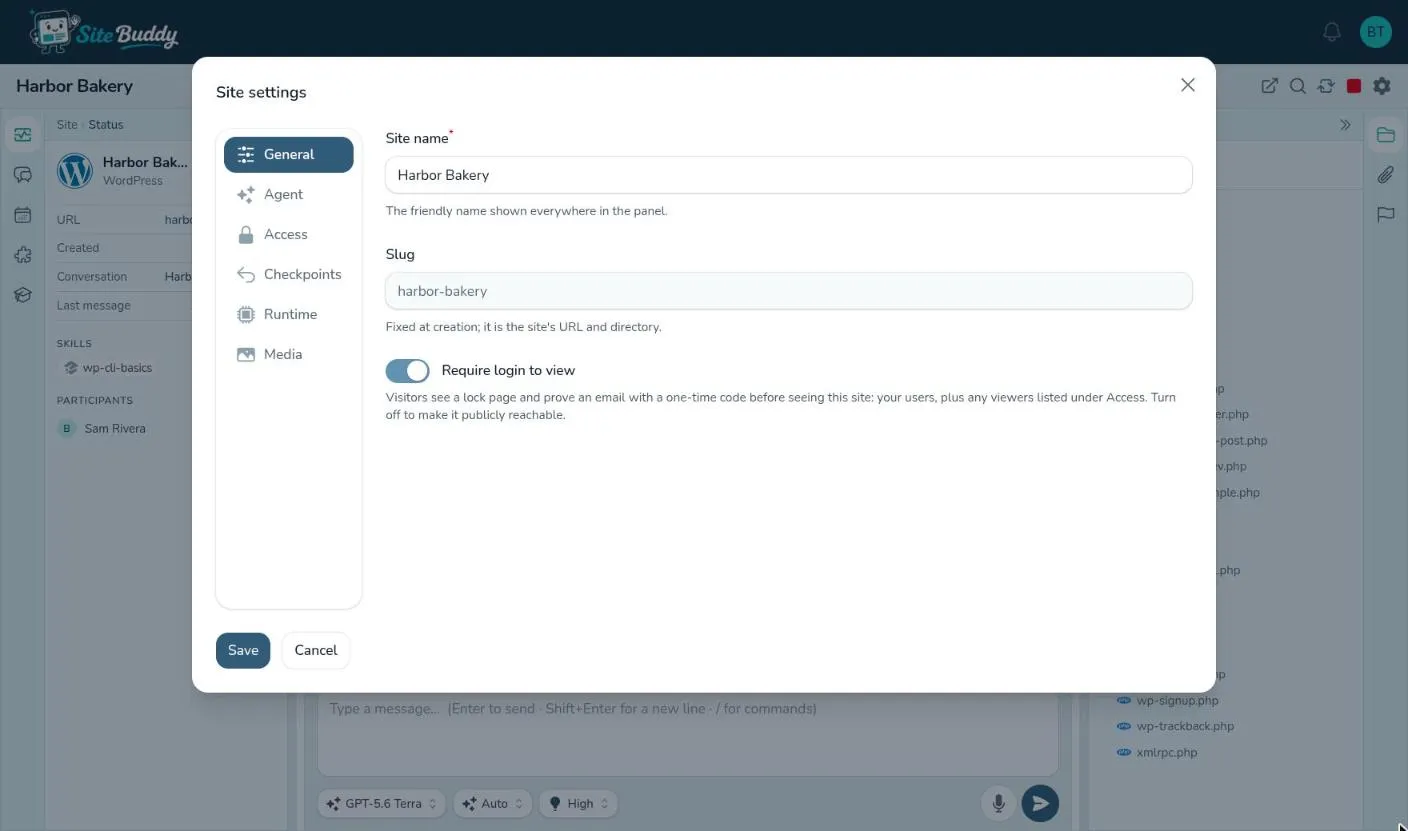
Section titled “Site settings”The gear button at the top of a site’s workspace opens Site settings. Press Save when you are done.
| Tab | What’s there |
|---|---|
| General | The site name, its slug (fixed), and Require login to view, which puts the site behind the lock page. |
| Agent | The site’s instructions for Buddy: brand, tone, standing rules. See teaching Buddy about a site. |
| Access | Who can work on the site (Shared with) and who may view its preview (Viewers by email). Owners and admins only. |
| Checkpoints | The automatic checkpoint schedule: never, every day or every week, what time, how many to keep, and whether to include the database. See checkpoints. |
| Runtime | The PHP version and web server (PHP-based sites). Saving restarts the site. The database type can’t be changed. |
| Media | The live media URL (WordPress). |
| Hosting | The Netlify or Shopify credentials (those types only). Changing them checks them again. |
Switching between sites
Section titled “Switching between sites”In a site’s workspace, click the site’s name at the top to jump to another site you can open.
Deleting a site
Section titled “Deleting a site”Stop the site, then press Delete on its card and confirm. Deleting removes the site and its environment, files and database, and cannot be undone. Download anything you want to keep first (or ask Buddy to push the code to GitHub).
Owners and admins can delete any site; members can delete the sites they created.